Someone on your team already solved it.
Contextify Team turns each engineer's synced Claude Code and Codex sessions into one searchable workspace. When someone solves a problem, the next person can find the path: the fix, the rejected approach, the reason a system was built the way it was.
$15 per seat / month. 14-day free trial, no credit card. One seat per person.

Total Recall pulls a teammate's prior decision into the session you are in. Sample data; styled mockup.
For teams
What changes when memory is shared
Knowledge stays trapped in one person's history
Synced sessions are searchable across the whole team
A new hire reads the code with no idea why it looks that way
They search how it was built, and what was rejected
The same problem gets re-solved on three different machines
Solved once, found by anyone who hits it next
Shared memory
One engineer solves it. The whole team remembers.
Each engineer runs the macOS app or Linux CLI and syncs the projects they choose. Those Claude Code and Codex sessions become one history the whole team can pull from, in the session they are already working in.
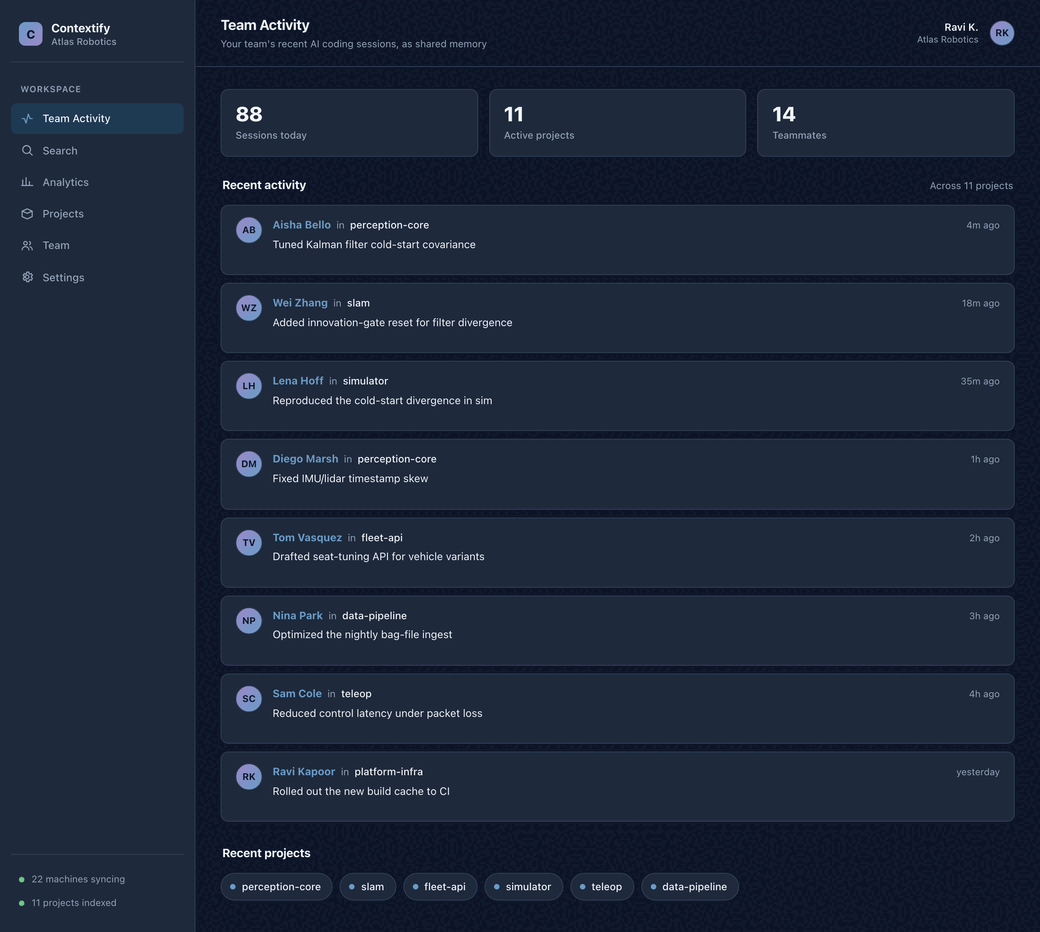
Sample data; styled mockup.
Someone already solved it
The fix from three months ago, the reason a path was rejected, the way a system was actually built. A teammate's synced session is one query away.
Onboard with the real history
New hires see how systems were built and what was considered and rejected, not just the code that shipped.
See the shared context grow
Activity dashboards show how much the team is sharing: conversations, the projects in active use, and the people contributing to the shared history.
How it works
From individual sessions to team memory
Invite the team
Admins create the workspace, invite teammates, manage seats, and assign roles in the Cloud dashboard.
Sync the chosen projects
Each person runs the Mac app or Linux CLI and syncs the projects they pick. Those sessions flow into the workspace, deduplicated and parsed.
Recall across the group
Anyone runs /total-recall in a Claude Code or Codex session and pulls the team's shared history right where they are working.
Shared context
See how much your team is sharing
Activity dashboards show the shared history growing: conversations across the team, the projects in active use, and who has worked where, so you know who to ask. Open any session to see how it was solved.
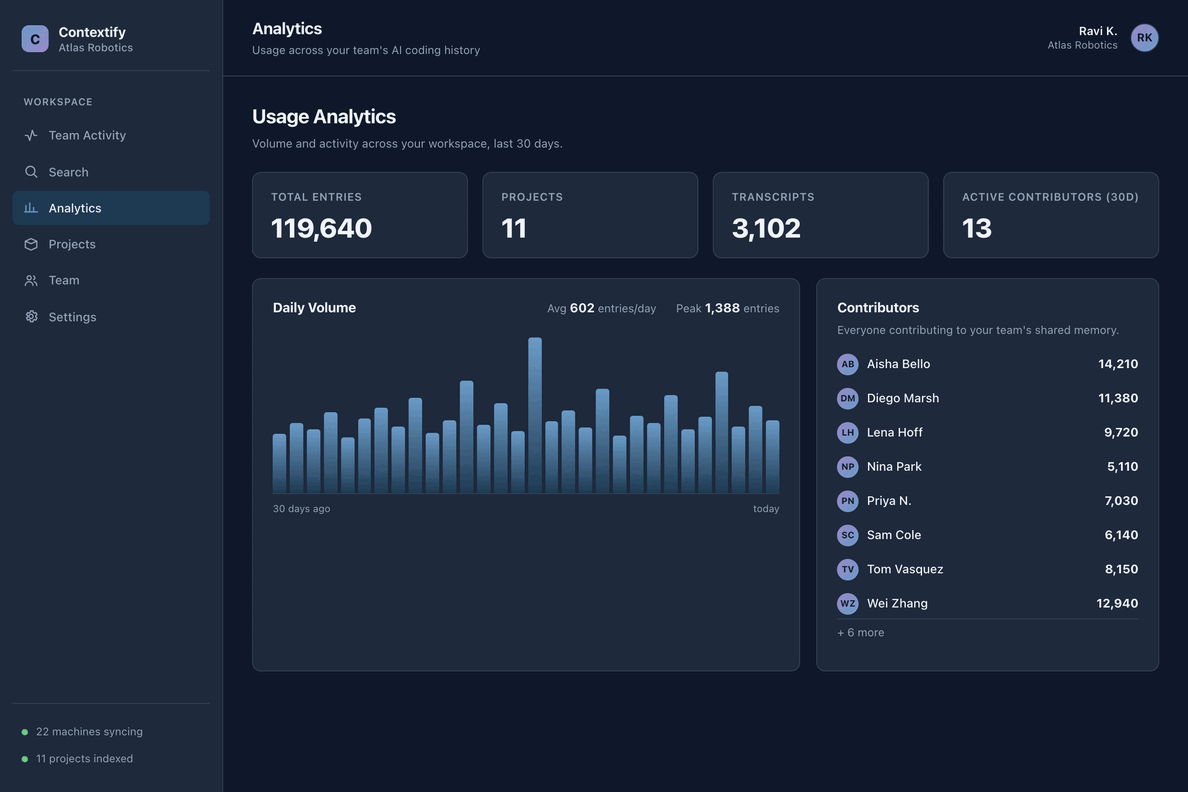
Sample data; styled mockup.
Sharing and security
Each person decides what the team sees
Sharing happens per project, and every member controls their own. A project you sync joins the workspace. A project you keep local stays on your machine. Here is exactly what is shared, what stays private, and how it travels.
Sync travels over HTTPS into a tenant-isolated workspace, and admins manage who can see it. Full detail on the Privacy page.
Pricing
Pay per person, not per machine.
A seat is a person, not a machine. One seat covers a teammate on every Mac and Linux machine they personally use, with no device cap. Buy one seat per person, the way JetBrains and Sublime Text license per user, and add or remove seats as the team changes.
Start free, invite the team when you are ready.
- Multi-user workspace with cross-user Total Recall
- Team activity dashboards
- Admin controls and roles
- Unlimited devices and cloud history per seat
- Commercial-use license for the workspace
14-day free trial, no credit card required. Compare every plan on the pricing page.
Common questions
What teams usually ask first
How is Cloud Team different from Cloud Pro?
Cloud Pro is hosted sync for one developer. Cloud Team adds a multi-user workspace, cross-user Total Recall, admin roles, activity dashboards, and a workspace-level commercial-use license.
Can people keep private local work?
Yes. Contextify is local-first. Team search covers the projects a person syncs to the workspace. Unsynced projects, raw transcript files, and local app settings stay on their machine.
What happens when someone joins later?
Give them a seat and a role. They can search the workspace history right away to understand earlier decisions, rejected approaches, fixes, and project context.
Is there a self-hosted team option?
Self-Hosted Pro is the self-hosted commercial path for teams. It is in early access today. The hosted Cloud Team plan is self-serve and available now.
Give your team searchable AI-coding context
Start a Team trial, invite your engineers, and turn synced project history into context anyone on the team can search.